This event uses one continuous scenic picture built from three LED walls and two projection-mapped columns, tied together by a single media-server canvas. Because the surfaces have different sizes, technologies, and viewing characteristics, content that looks great on one destination can fail on another. This guide gives you the exact pixel dimensions for every destination, the full-canvas map, and the technical specs for slides, video, and still artwork.
Following these guidelines ensures your content looks its best on show day — and saves us all from last-minute scrambles over resolutions, file formats, or fonts. If anything here raises a question, please reach out early: cbaldini@avfactory.com
| Destination | Resolution (W×H) | Aspect | Physical Size | Content Sources |
|---|---|---|---|---|
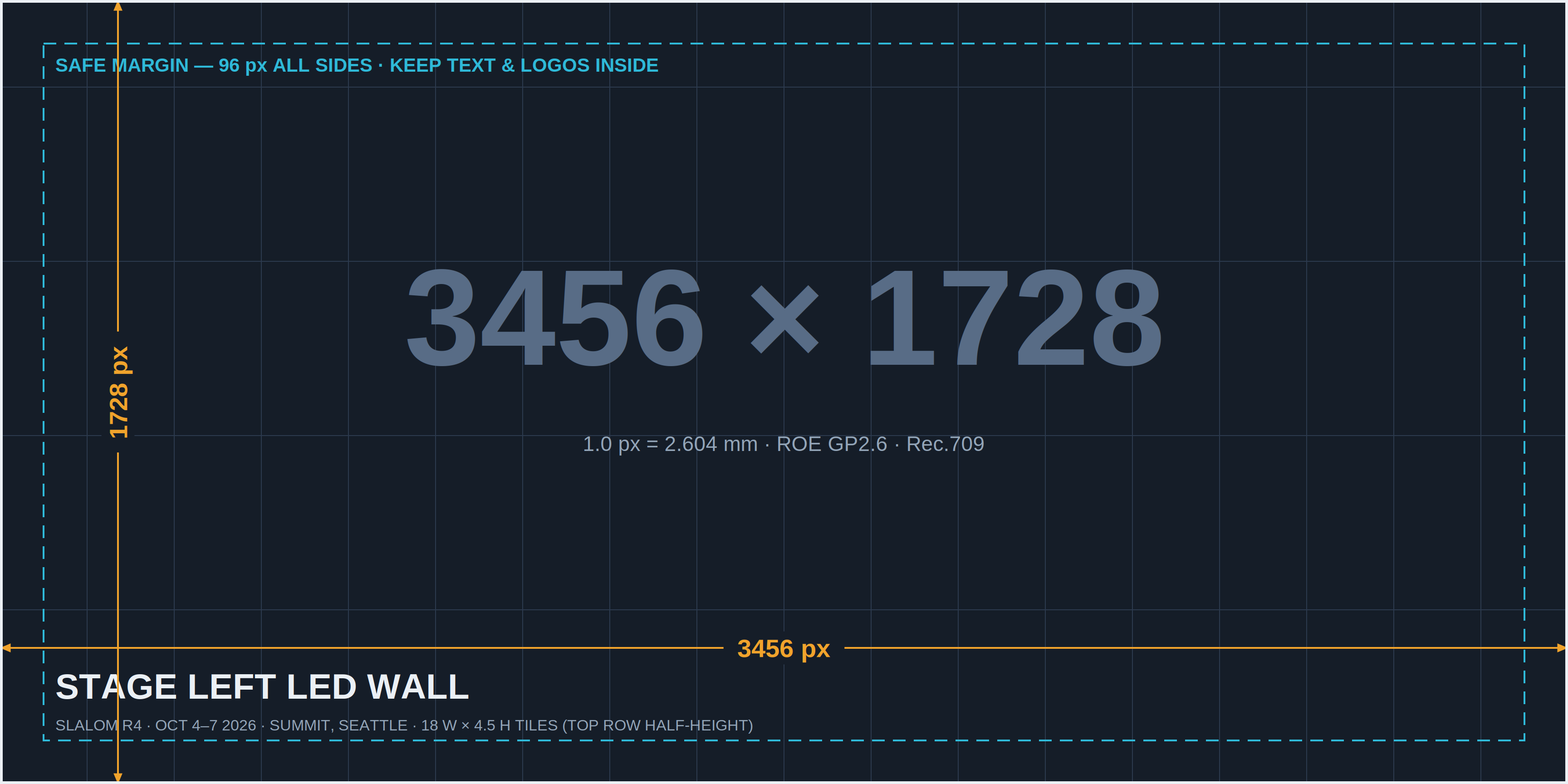
| Stage Left LED Wall | 3456 × 1728 | 2:1 | 29'-6⅜" × 14'-9⅛" | Pixera (video/stills) · PowerPoint (2:1 deck) |
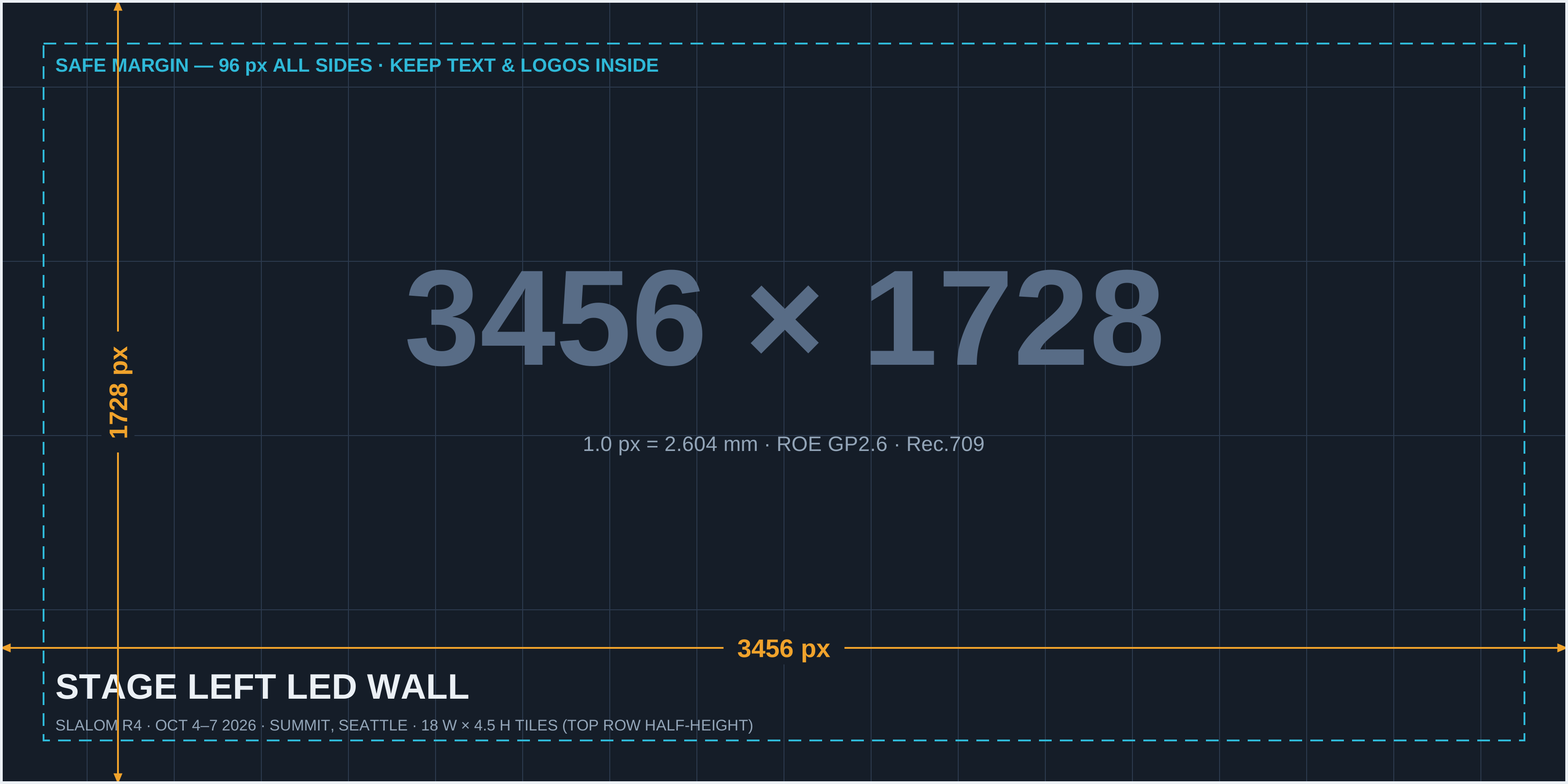
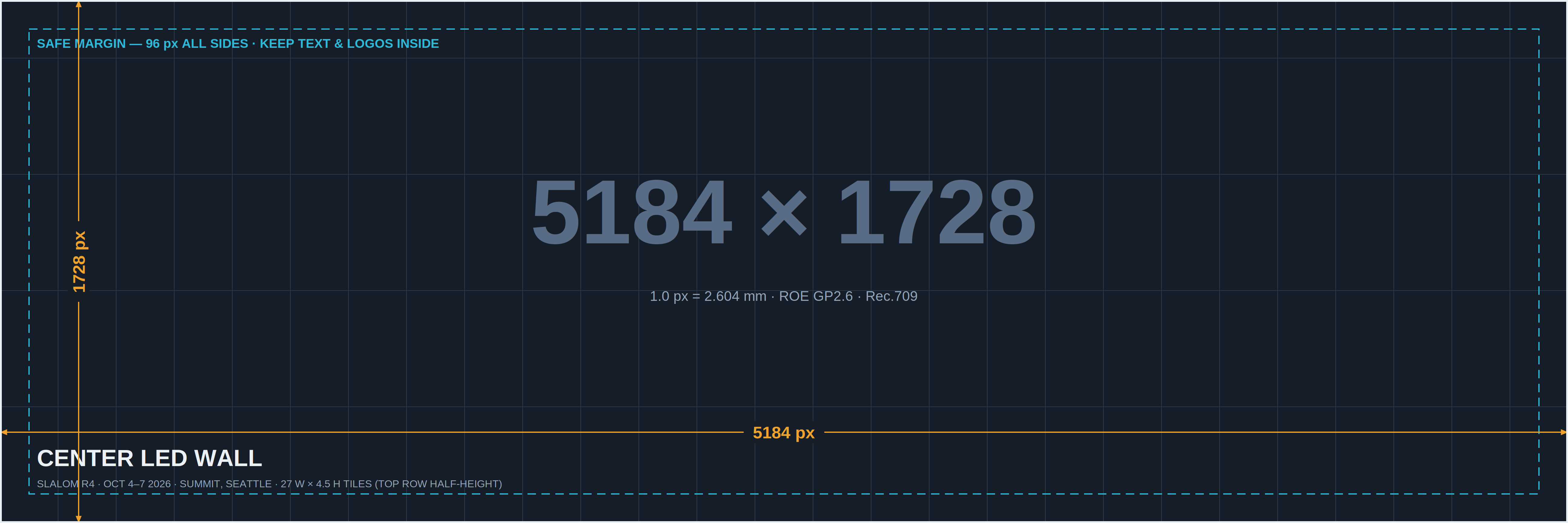
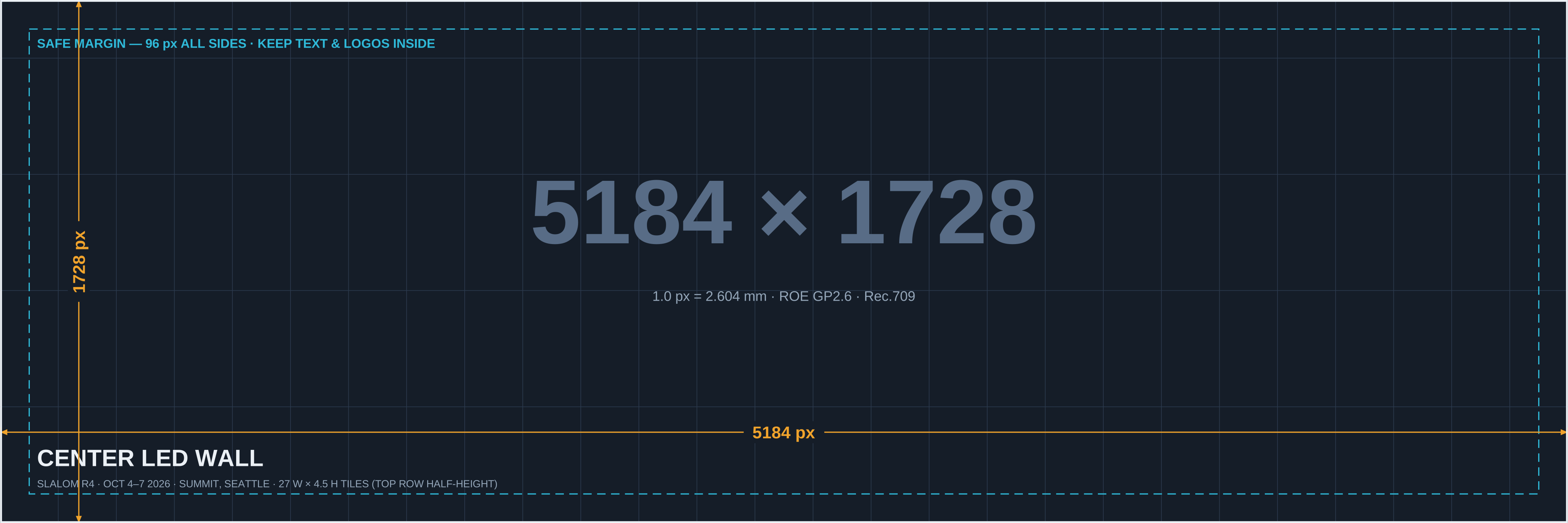
| Center LED Wall | 5184 × 1728 | 3:1 | 44'-3½" × 14'-9⅛" | Pixera (video/stills) · PowerPoint (3:1 deck) |
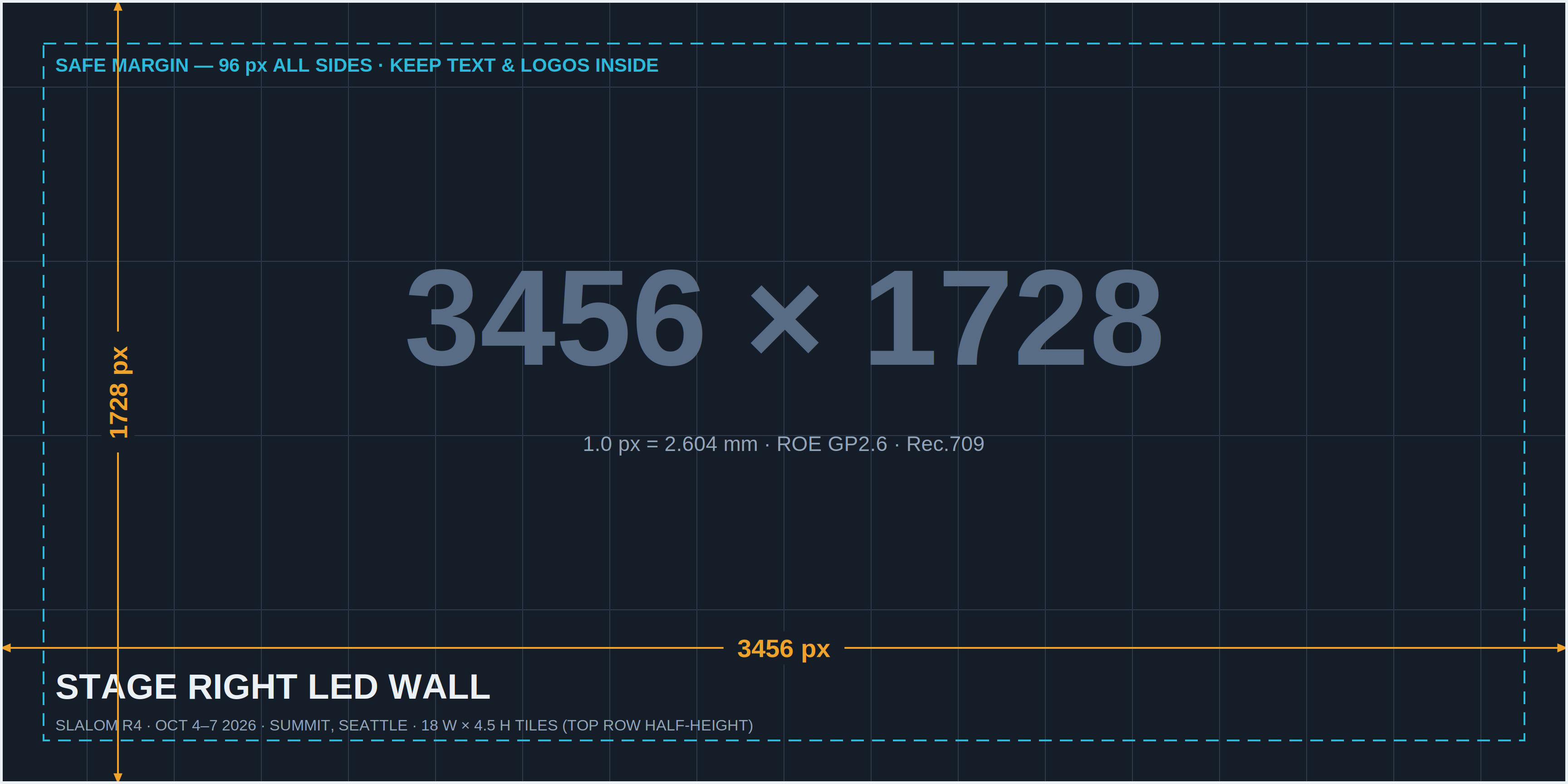
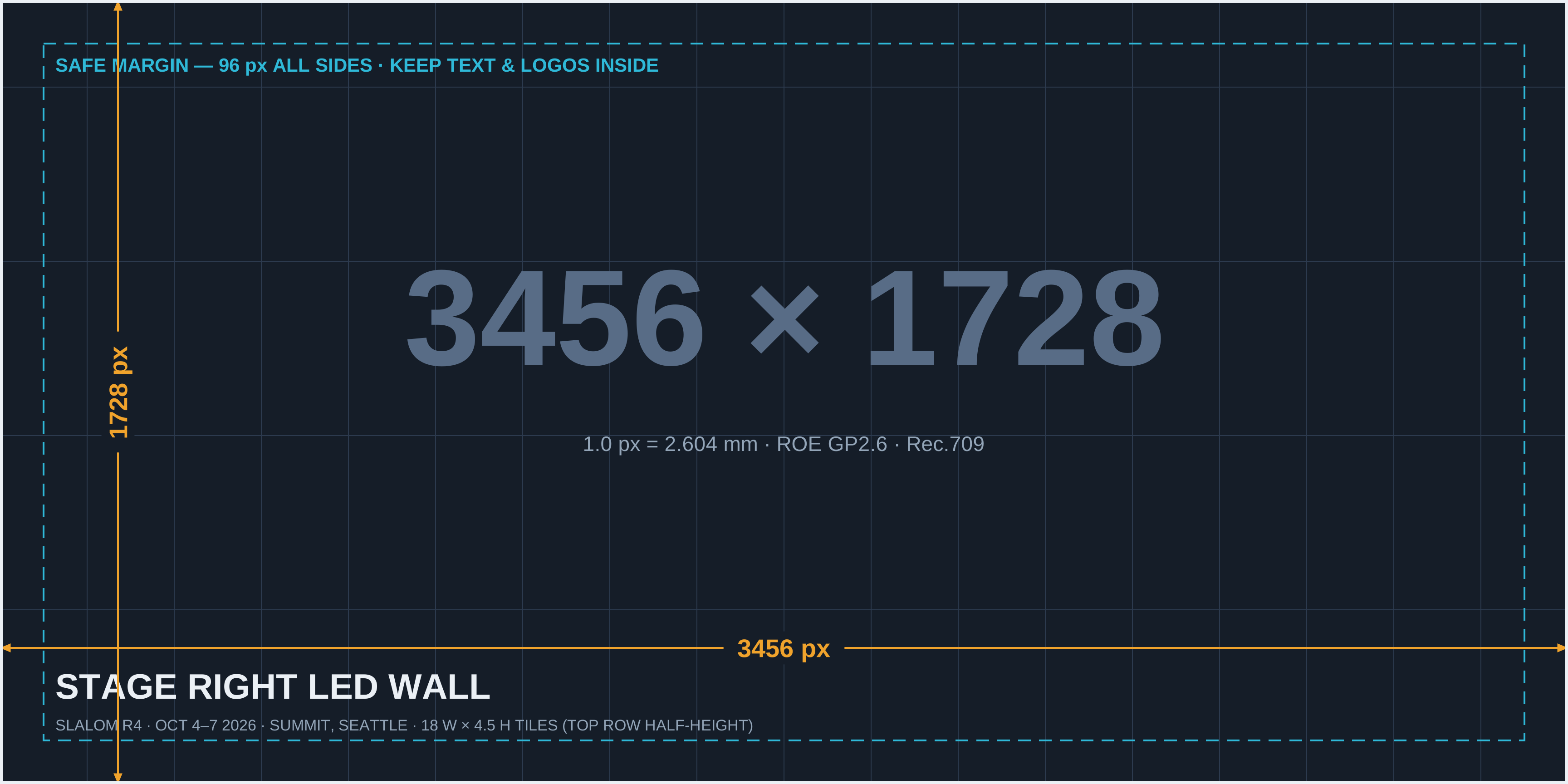
| Stage Right LED Wall | 3456 × 1728 | 2:1 | 29'-6⅜" × 14'-9⅛" | Pixera (video/stills) · PowerPoint (2:1 deck) |
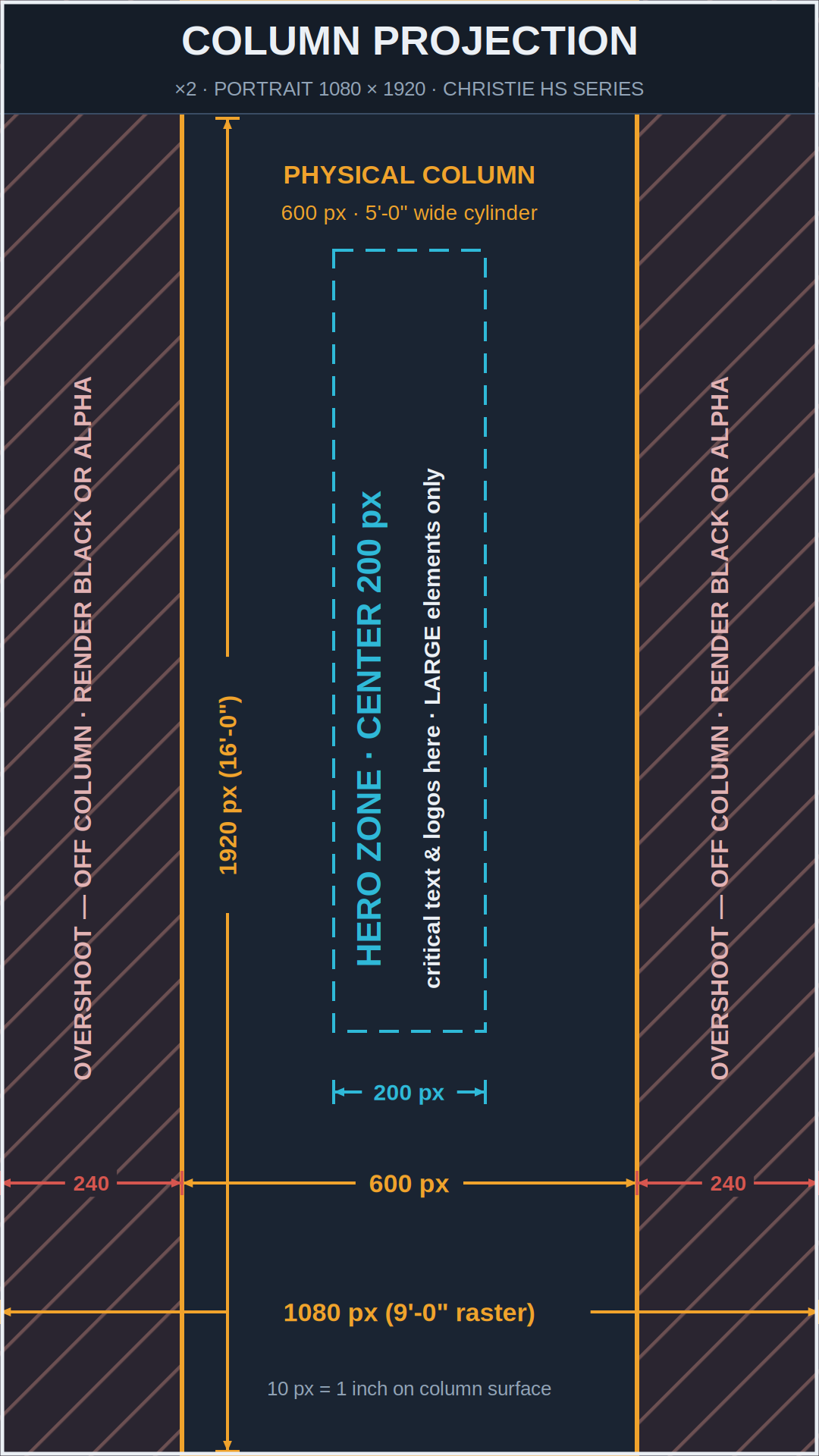
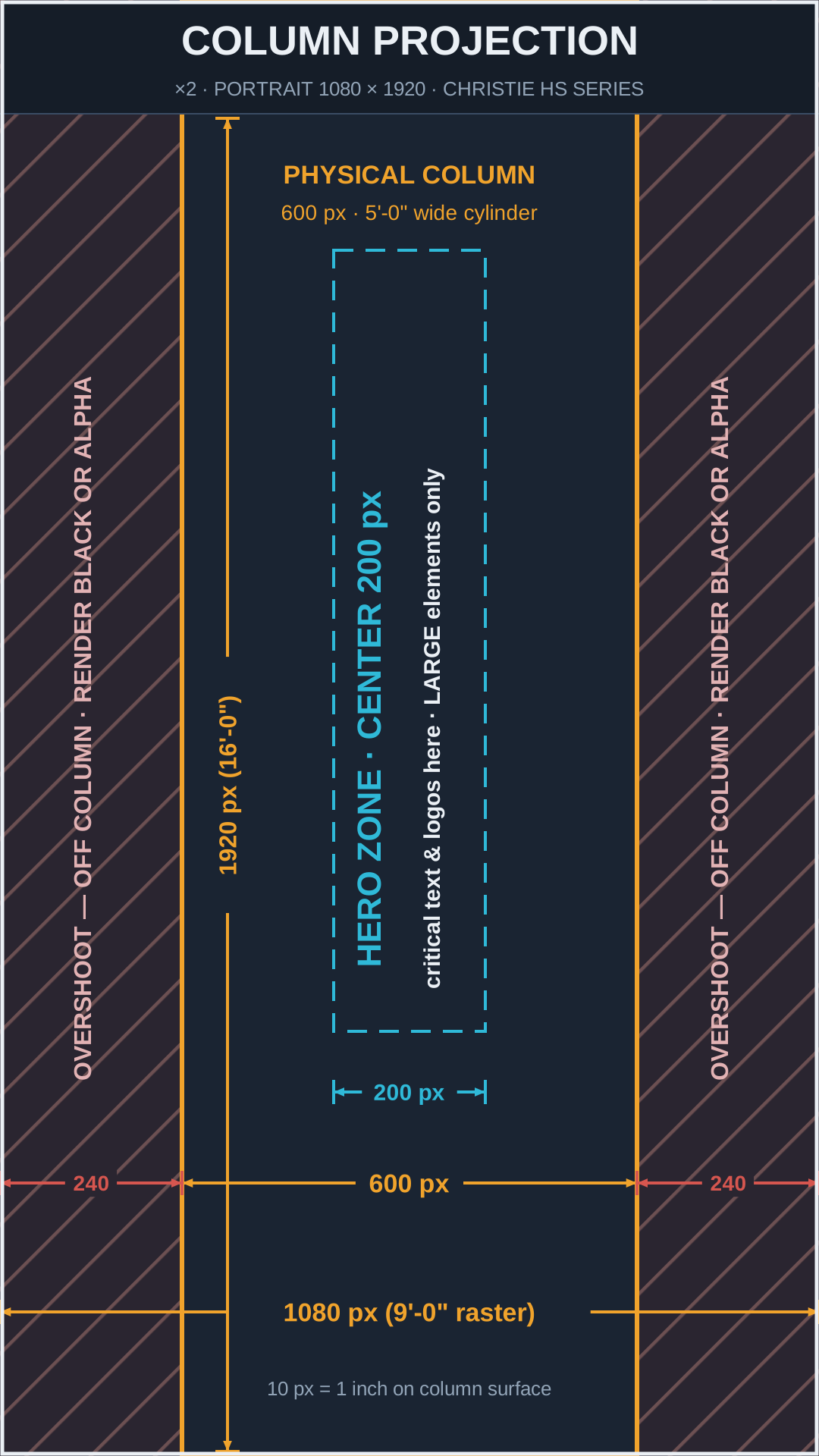
| Stage Column Projection ×2 | 1080 × 1920 (portrait) | 9:16 | 9'-0" × 16'-0" raster on a 3'-11¾" column (12'-6" circ.) | Pixera only — large imagery (see Column Content) |
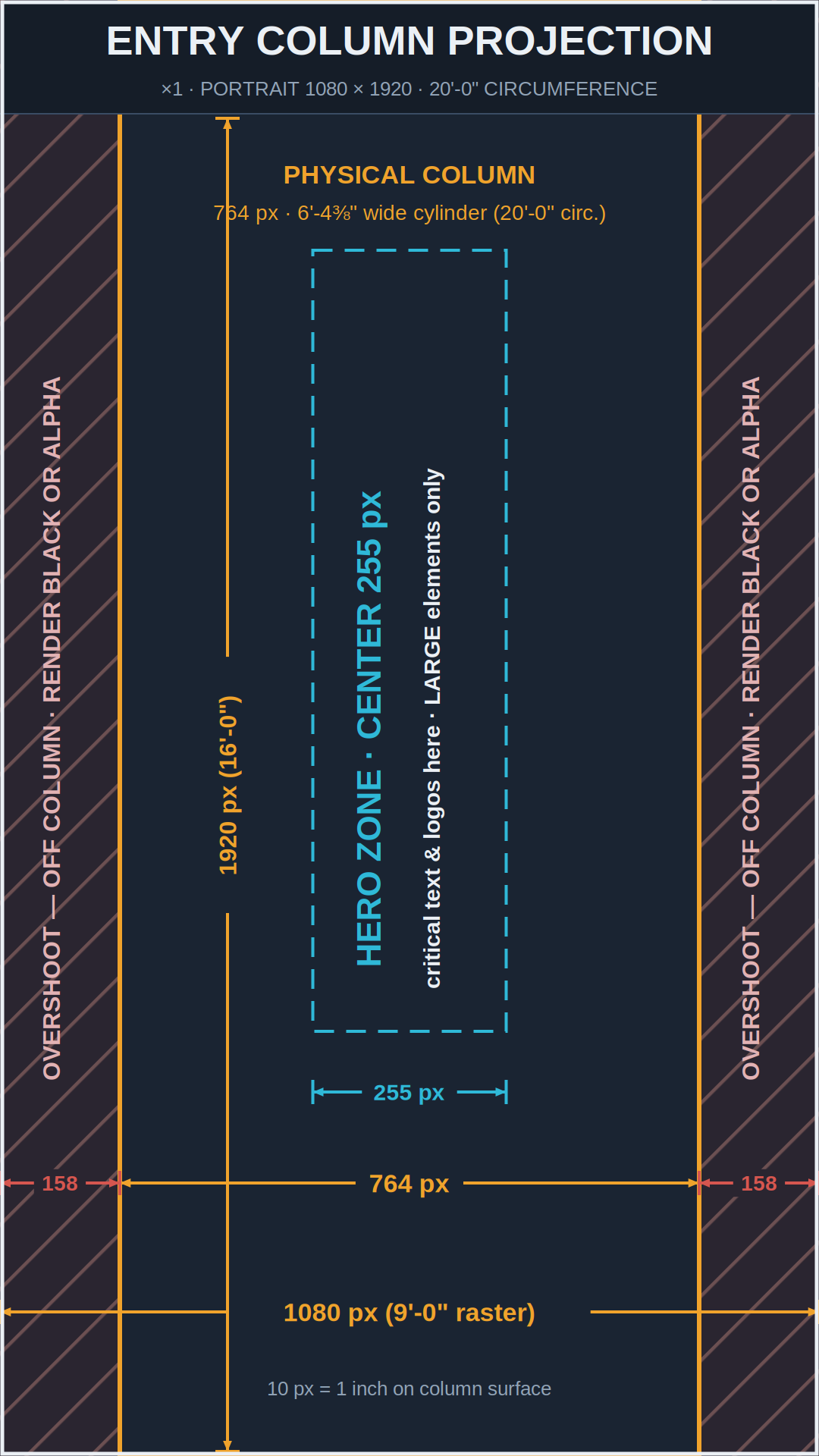
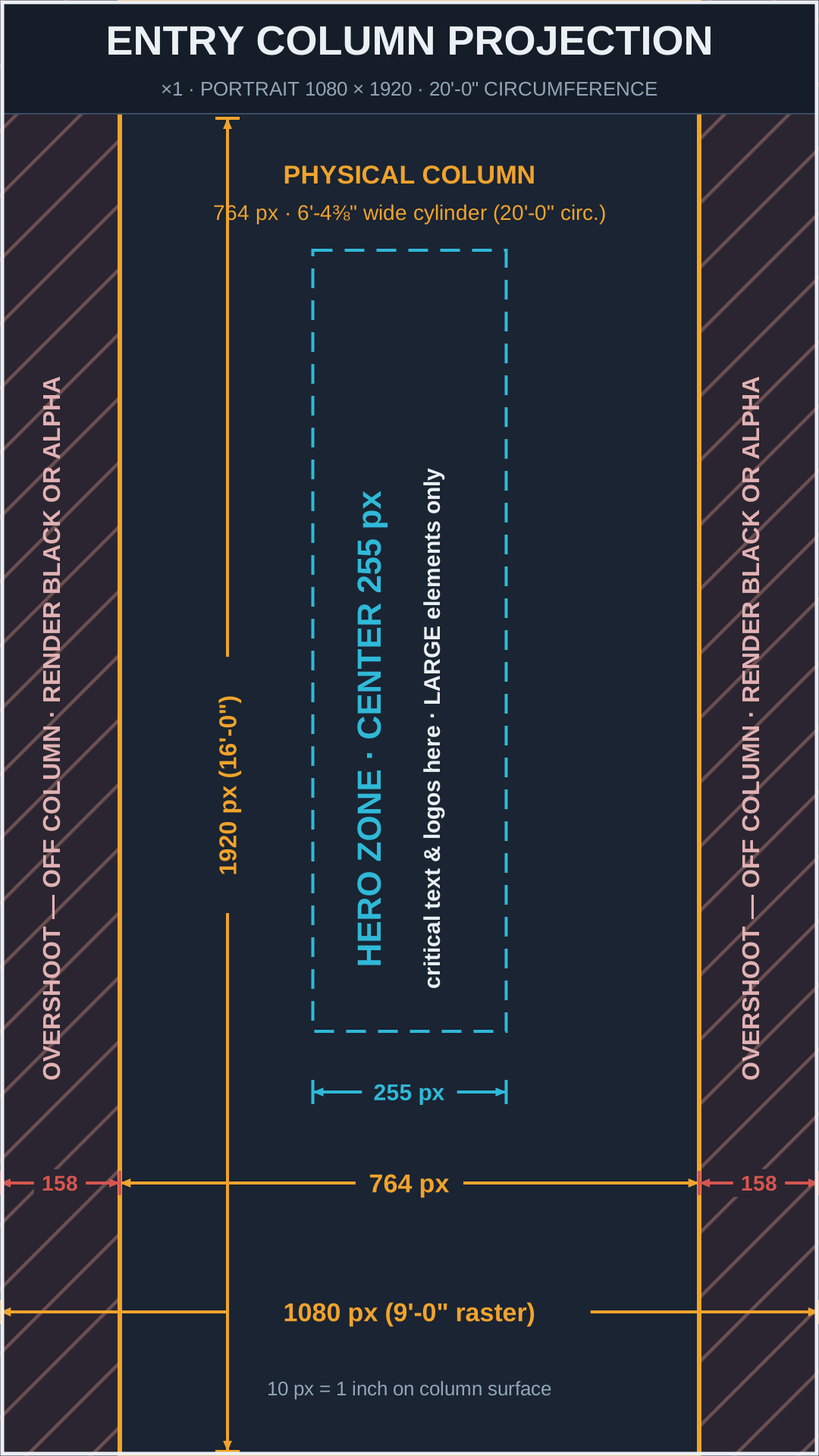
| Entry Column Projection ×1 | 1080 × 1920 (portrait) | 9:16 | 9'-0" × 16'-0" raster on a 6'-4⅜" column (20'-0" circ.) | Pixera only — large imagery (see Column Content) |
| Full Canvas | 17502 × 1873 | ≈9.3:1 | 149'-6⅜" × 16'-0" | Design reference only — build your AE comp at this size, deliver each destination as its own export (see Video) |
LED walls are ROE Visual GP2.6 (2.6 mm pitch). Columns are lit by portrait-mounted Christie HS-Series 22K laser projectors. Produced show content plays from a Pixera media server; stand-alone speaker videos roll from PlayBack Pro at 1920×1080. You don't need to think about any of that — just hit the pixel counts above and we'll do the rest.
The canvas runs from the outside edge of the Stage Left LED wall to the outside edge of the Stage Right LED wall, including the physical gaps (mullions) between surfaces. It is built at LED-native pixel density (1 px = 2.604 mm), so LED content maps 1:1 with zero scaling. Content that animates across the whole stage — walk-in looks, transitions, environmental textures — should be designed on this canvas (an After Effects comp at 17502 × 1873 with each destination as its own region) so motion travels believably across walls, columns, and the gaps between them. But note: the canvas is a design space, not a deliverable — final renders are exported per destination and sync-rolled at playback. See Full Motion Video.
| Zone | X Start | X End | Width | Y Range |
|---|---|---|---|---|
| Stage Right LED Wall | 0 | 3456 | 3456 | 0 – 1728 |
| Mullion (no content) | 3456 | 4713 | 1257 | — |
| SR Column — projection zone | 4713 | 5766 / column 5007–5473 | 1053 (col. 466) | 0 – 1873 |
| Mullion (no content) | 5766 | 6159 | 393 | — |
| Center LED Wall | 6159 | 11343 | 5184 | 0 – 1728 |
| Mullion (no content) | 11343 | 11736 | 393 | — |
| SL Column — projection zone | 11736 | 12789 / column 12030–12496 | 1053 (col. 466) | 0 – 1873 |
| Mullion (no content) | 12789 | 14046 | 1257 | — |
| Stage Left LED Wall | 14046 | 17502 | 3456 | 0 – 1728 |
Column widths reflect the field-measured 12'-6" circumference (466 canvas px). For content, the numbers that matter are the 1053 px projection zones — columns and mullions are no-content reference.
Each map is available as a full-resolution PNG (drop into your AE / Photoshop project as an underlay) or as an editable vector SVG.
⬇ Download all maps (PNG + SVG, .zip)
The following template files are delivered alongside this document:
The two columns flanking the center wall are each served by a portrait-mounted 22K laser projector with a 1080 × 1920 raster that is deliberately wider than the column — the beam overshoots ~2'-6" (301 px) past each side so we can use the full 16'-0" of height.
At this raster, 10 px = 1 inch on the column surface. See Column Content for what works and what doesn't — this is the destination where content choices matter most.
The entry way column is a wider cylinder — 20'-0" around (6'-4⅜" across) — with the same portrait 1080 × 1920 projection raster. Because the column is wider, more of the raster lands on the surface and less is overshoot:
Same raster, same 10 px = 1 inch scale, same content rules — deliver it as its own file (ColumnEntry tag). Content built for the stage columns can be reused here; it will simply sit within a slightly wider sharp zone. Content built for the entry column does not transfer back to the stage columns unless critical elements stay inside the center 160 px.
The columns are round — two 5-foot-wide cylinders flanking the center wall and one wider 6'-4⅜" cylinder at the entry way — lit by projectors, not flat LED. Light hits the center of each column head-on and grazes the sides at an extreme angle, which means focus, brightness, and geometry all fall off rapidly away from the centerline. Content designed like normal screen graphics will look smeared and dim. Content designed like environmental scenery will look fantastic.
| Column | Circumference | On-Raster Width | Hero Zone (sharp) | Overshoot (each side) |
|---|---|---|---|---|
| Stage Columns ×2 (flanking center wall) | 12'-6" | center 478 px (3'-11¾") | center 160 px (~16") | 301 px — black/alpha |
| Entry Column ×1 | 20'-0" | center 764 px (6'-4⅜") | center 255 px (~25½") | 158 px — black/alpha |
The hero zone is the same fraction of the column on both (the sharpness limit is set by surface curvature, which scales with width) — the entry column simply gives you a bigger one.
| Element | Minimum | Recommended | Real-world size on column |
|---|---|---|---|
| Text cap height | 150 px | 200 px + | 15" / 20"+ tall letters |
| Line / stroke weight | 20 px | 40 px + | 2" / 4"+ thick |
| Logo width (mark) | 300 px | 350–450 px stage · 450–700 px entry | 2.5' min / ~3–6' wide |
Minimums are set by viewing distance, not column width — they apply unchanged on the entry column. The wider hero zone buys you room for bigger art, not smaller text.
Slides display full-bleed on the LED walls, so decks must be authored at the wall's aspect ratio — a standard 16:9 deck does not fit a 2:1 or 3:1 wall. You'll build two deck formats: one for the side walls, one for the center wall. Slides never play on the columns.
| Deck | Destination(s) | Slide Size (set in PowerPoint) | Displayed At | Safe Margin |
|---|---|---|---|---|
| Side Wall deck (2:1) | Stage Left & Stage Right LED | 20" × 10" | 3456 × 1728 | 0.56" on slide (96 px) |
| Center Wall deck (3:1) | Center LED | 30" × 10" | 5184 × 1728 | 0.56" on slide (96 px) |
To set the size: Design → Slide Size → Custom Slide Size, enter the width and height above, and choose "Ensure Fit" if converting an existing deck. Both formats work out to the same scale (172.8 px per slide-inch), so artwork moves cleanly between them.
| File format | .pptx — one file per deck format, clearly labeled (e.g. SlalomR4_GeneralSession_CenterWall_v3.pptx) |
| Fonts | Embed fonts in the file (File → Options → Save → Embed fonts), and send us any non-standard fonts separately to avoid substitution surprises. |
| Minimum text size | 18 pt absolute floor; 24 pt+ recommended. These walls are big, but your back row is far away. |
| Embedded media | Embed all videos/audio in the deck AND provide each media file separately. No linked/streaming media (YouTube, Stream, etc.) — the show network is offline. |
| Builds & transitions | Simple builds are fine. Avoid exit animations and "random" transitions; they behave unpredictably at non-standard slide sizes. |
| 16:9 decks | A presenter who arrives with a standard 16:9 deck will be shown in a centered window with the wall background filling the sides — never stretched. Fine as a fallback; not what you want for a keynote. |
| Preferred codecs | NotchLC or HAP Q best for Pixera |
| Also accepted | HAP (standard), Apple ProRes 422 / 422 LT, DNxHR SQ |
| Please avoid | H.264 / H.265 for show playback (review cuts only) |
| Container | .mov |
| Resolution | Exact destination raster (see Pixel Maps) — no letterboxing, no scaling |
| Frame rate | 29.97 or 59.94 progressive — do NOT render 23.98/24 fps |
| Color | Rec.709, video levels; 8- or 10-bit |
| Alpha | If needed: HAP Q Alpha / NotchLC with alpha, or a separate matte |
| Loops | Seamless first-to-last frame; put _LOOP in the filename |
| Preferred | 48 kHz · 24-bit · stereo WAV (embedded or separate) |
| Also fine | AAC 48 kHz stereo, 320 kbps |
| Levels | Mix peaking around −6 dBFS; no limiter slam |
| Silent videos | Please strip the audio track entirely rather than including silence |
Pixera decodes NotchLC and HAP on the graphics card, which is what makes a 17,502-pixel-wide canvas play back without a hiccup. File sizes are larger than H.264 — that's expected and fine. If your renderer can't export these, ProRes 422 LT is a solid fallback; talk to us before inventing a fourth option.
Do not deliver a single 17,502-px-wide render. Design in your full-canvas AE comp, then export each destination as its own file. We load them as a synchronized set in Pixera and roll them together frame-locked, so the full-stage picture reassembles perfectly on site.
| Content Target | Render At | Notes |
|---|---|---|
| Stage Left LED wall | 3456 × 1728 | One shared file is fine when both sides show identical content (tag it Outboard) |
| Stage Right LED wall | 3456 × 1728 | |
| Center LED wall | 5184 × 1728 | |
| Stage Column SL / SR (each) | 1080 × 1920 | Portrait; obey column rules; overshoot regions black or alpha |
| Entry Column | 1080 × 1920 | Portrait; wider hero zone (255 px) — see column rules |
Speaker-support videos, sizzle reels, and other stand-alone 16:9 pieces roll from PlayBack Pro rather than the media server, and appear in a centered 16:9 window on the LED walls (the same treatment as a 16:9 slide deck). These follow the classic spec:
| Resolution | 1920 × 1080 (16:9) — keep text/logos 50 px inside the edges |
| Preferred codec | Apple ProRes 422 LT best for PlayBack Pro |
| Alternate | DNxHD / DNxHR SQ; high-bitrate H.264 (20–30 Mbps) accepted for non-critical pieces |
| Container | .mov |
| Frame rate | 29.97 or 59.94 progressive — no 23.98/24 fps |
| Color / audio | Rec.709 · embedded stereo 48 kHz |
| Preferred | .wav — 48 kHz · 24-bit · stereo |
| Also fine | .mp3 320 kbps (fine for music; use WAV for anything with a hard downbeat) |
| Trim | Start the file at the moment it should be heard — no leading silence; we fire cues on the frame |
| Naming | One file per cue, named for the moment: SlalomR4_AwardSting_Sales_v1.wav |
| Levels | Peaks around −6 dBFS, consistent loudness across the set |
For general ambient music, a Spotify playlist link is all we need — send it with your content delivery and note any tracks that must (or must not) play at specific times. If your organization requires licensed/cleared music only, send us the files instead as .wav or .mp3.
| Resolution | Exact destination raster (same table as video) |
| Format | .png (preferred) or .tiff — no JPEG for show graphics |
| Color | sRGB / Rec.709, 8-bit+, no embedded printer profiles |
| Safe margin | 96 px on LED walls; hero zone rules on columns |
| Vector (preferred) | .svg, .ai, or .eps |
| Raster | .png with transparency, 24-bit, largest size available |
| Brand kit | Send your brand guide (colors, clear-space, don'ts) so anything we build on site stays on-brand |
| Naming pattern | SlalomR4_[Content]_[Destination]_v[#].[ext] e.g. SlalomR4_WalkIn_WallC_v2.mov · SlalomR4_Awards_ColumnSL_v1.png |
| Destination tags | WallSL · WallC · WallSR · Outboard (same file on both side walls) · ColumnSL · ColumnSR · Columns (same file both stage columns) · ColumnEntry · PBP (1920×1080 PlayBack Pro videos) |
| Versioning | Increment v1 → v2 → v3 with every change. Please never use "FINAL", "FINAL2", or "FINALfinal" — we've all been there, and it never ends well. |
| Deadlines | All show content due 2 weeks before doors (Sept 21, 2026). Anything after that lands in the on-site change queue and is handled as time allows. |
| Delivery | WeTransfer to cbaldini@avfactory.com for day-to-day deliveries and revisions. For the final show package — GPU codecs add up fast — a hard drive hand-off is welcome (exFAT-formatted so it reads on everything; label the drive with the event name). No email attachments over 20 MB, please. |
| Rev | Date | What changed |
|---|---|---|
| 3 current | Aug 18, 2026 | Stage columns re-measured on site: 12'-6" circumference. Stage column zone 600 → 478 px, hero 200 → 160 px, overshoot 240 → 301 px/side. Full canvas re-dimensioned around the 1053 px projection zones (chain: 3456 · 1257 · 1053 · 393 · 5184 · 393 · 1053 · 1257 · 3456); columns drawn at measured 466 canvas px. If you built column content before this revision, re-check it against the current column map. |
| 2 | Aug 18, 2026 | Entry column destination added (1080 × 1920 portrait · 764 px zone · 255 px hero). |
| 1 | Jul 23, 2026 | Initial release (stage columns per drawing at 5'-0"/600 px — superseded by Rev 3). |